Read comfortably
Tabs, thumbnails, bookmarks, search, night mode and dark theme.
FREE PDF READER AND EDITOR FOR WINDOWS
 trkPDF 1.0.0
Read, mark up, edit and organize your PDFs – fast, private and free. No account, no ads, no cloud.
64-bit Windows 8, 8.1, 10 or 11. Windows 8 and 8.1 require installed updates.
 trkPDF / Windows x64 / AGPL v3
01 / trkPDF
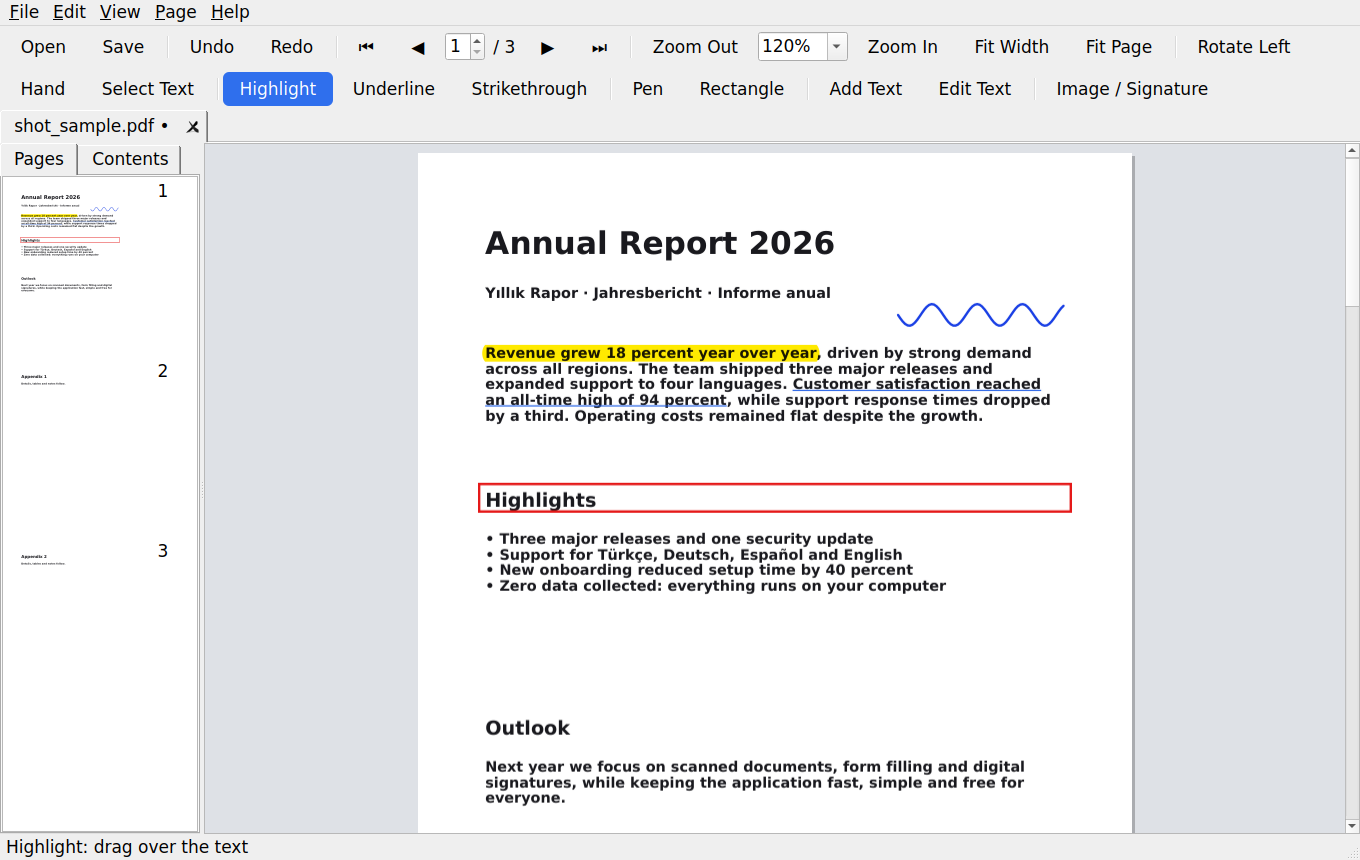
Sample document and the English / German start screens. Numbers in the sample document are illustrative data.
Sample document
Start · English
Start · Deutsch
02 / trkPDF
Tabs, thumbnails, bookmarks, search, night mode and dark theme.
Highlight, underline, strike through, draw, add text, images and signatures.
Replace or delete text with full Unicode support.
Rotate, delete, reorder, merge, split and extract pages.
Works offline. No tracking, no telemetry, no account.
Türkçe, Deutsch, Español, English – chosen in the installer.
Undo and redo, compressed saving, AES-256 encryption, printing and exporting a page as an image are available.
trkPDF works offline, with no ads, account or telemetry. Documents are not sent to a cloud service. Preferences such as language, theme and recent files are saved locally.
03 / trkPDF
Choose the installer or portable edition. Both are free.
Choose your language and install in your user account. No administrator rights required.
Download installer ↓8e7bc79371b7b347ca74a2ce3985333cd40b06e024eb8d66e3692c2c045e726bExtract the entire ZIP and open trkPDF.exe. It also runs from a USB drive; settings stay in its data folder.
Download portable ZIP ↓ef1da72aca2aadfff5ff2505065aaeee0758c6dd12bbe673818d632925dc454164-bit Windows 8, 8.1, 10 or 11. Windows 8 and 8.1 require installed updates.
For IT administrators and application bundles. /L= accepts tr, de, en or es. This website does not run the command automatically.
trkPDF-Setup-1.0.0.exe /S /L=en /NODESKTOPGNU AGPL v3
trkPDF is free software under GNU AGPL v3, with no warranty. The source package includes app code, installer and build files.
9890077eb9956649fd95453f1d2551f13ca209639e9ff852a2624ed2b5200850FAQ
Yes. Both editions are free. All programs published on EXETRK are free.
Extract the entire ZIP to a folder and start trkPDF.exe. No installation is needed.
No. You can insert an image such as a transparent PNG; cryptographic digital signatures are not available yet.
Both apps are available as separate downloads from EXETRK. A combined setup assistant has not been released yet.