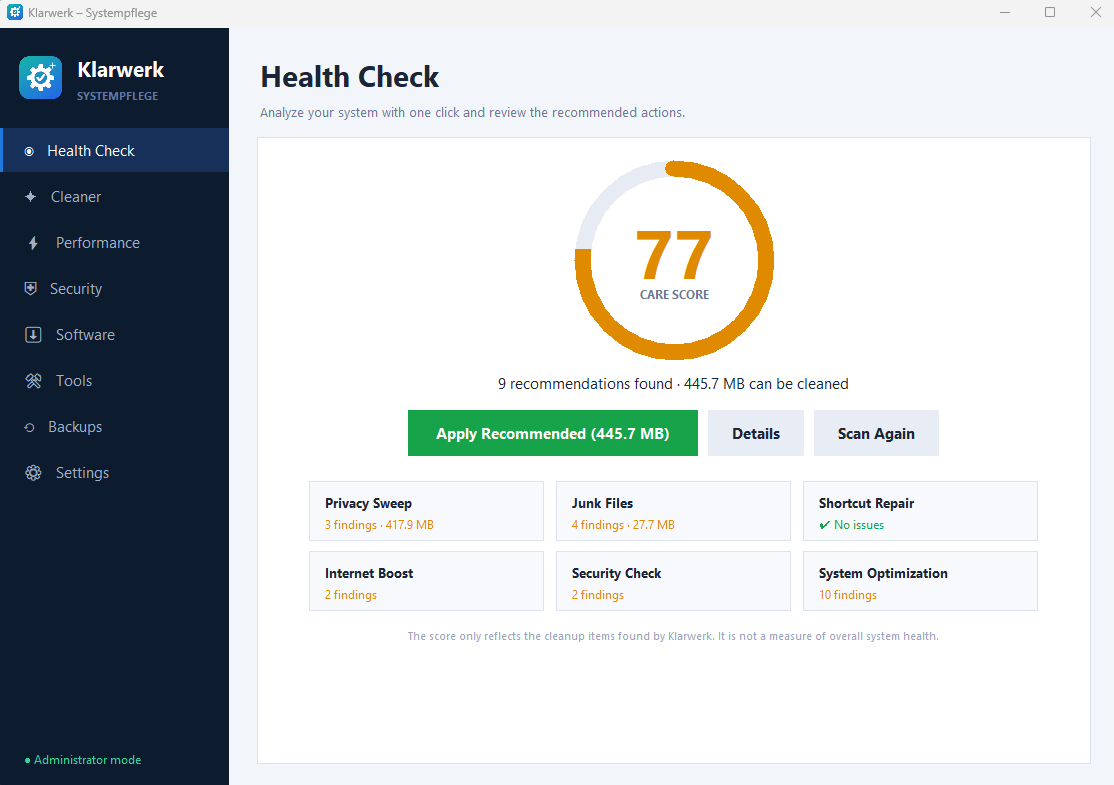
Analyze first
See the proposed actions before deciding what to apply.
FREE SYSTEM CARE FOR WINDOWS
Clean temporary files, browser cache and traces. Manage startup programs, uninstall apps and find large files — in one place.
Requires 64-bit Windows 8.1, 10 or 11.
 Klarwerk / Windows x64 / Always free
01 / KLARWERK
Real screenshots from version 1.0.0. The interface shown is in English.
Review the analysis and recommended actions before applying them.
Choose the cleanup categories you want to analyze.
Manage installed apps, startup entries and large files.
Choose a language and review safety and privacy options.
02 / FEATURES
See the proposed actions before deciding what to apply.
Review temporary files, browser cache and usage traces.
Manage the programs that start with Windows.
Locate large files so you can decide what to keep.
Browse installed programs and open their uninstall process.
English, Deutsch, Türkçe and Español, including the installer.
KLARWERK / PRIVACY
Klarwerk has no ads, no bundled software and no telemetry. The app itself does not connect to the internet.
Backup options are available for supported system changes. Keep your own copies of important files; do not assume every deletion or uninstall can be undone.
Klarwerk is not an antivirus.
03 / DOWNLOAD
Choose how you want to use it. Both editions are free.
Install Klarwerk on this computer with the setup wizard.
Download installer ↓f55fb170e7ff98d30dbff091e7ca6ad14c918286efe048bdbadb298e7b88d50bExtract the ZIP to a folder or USB drive, then open Klarwerk.
Download portable ZIP ↓9e6808e5c3b079c52a3e9481d6b60a52ed1012e8abdd72d94707d380c8fe275dRequires 64-bit Windows 8.1, 10 or 11. The Windows installer is not digitally signed. Check the source and SHA-256 value before running it.
1.0.0 · Initial release. System analysis, cleanup, startup management, uninstall tools, large-file search and four interface languages.
KLARWERK / GUIDE
Choose between the installer and portable edition, review your first analysis and learn which files the app keeps on your PC.
FAQ
Yes. Both editions are free. All applications published on EXETRK are free.
Use the installer for a regular installation. Choose portable if you prefer to run the app from an extracted folder or USB drive.
Klarwerk itself does not connect to the internet. You need a connection to download it from this website.
Download and run the installer to install Klarwerk. A separate one-click setup assistant is not available yet.