64-bit Windows 10 or 11. Microsoft Edge or Google Chrome is recommended for the interface.
PixDuora
What you can do
Find identical or similar photos
Scan selected folders and their subfolders. Search only for exact duplicates or choose very similar, similar or loosely similar images. Exact file matching uses SHA-256; visual similarity compares features calculated from each image.
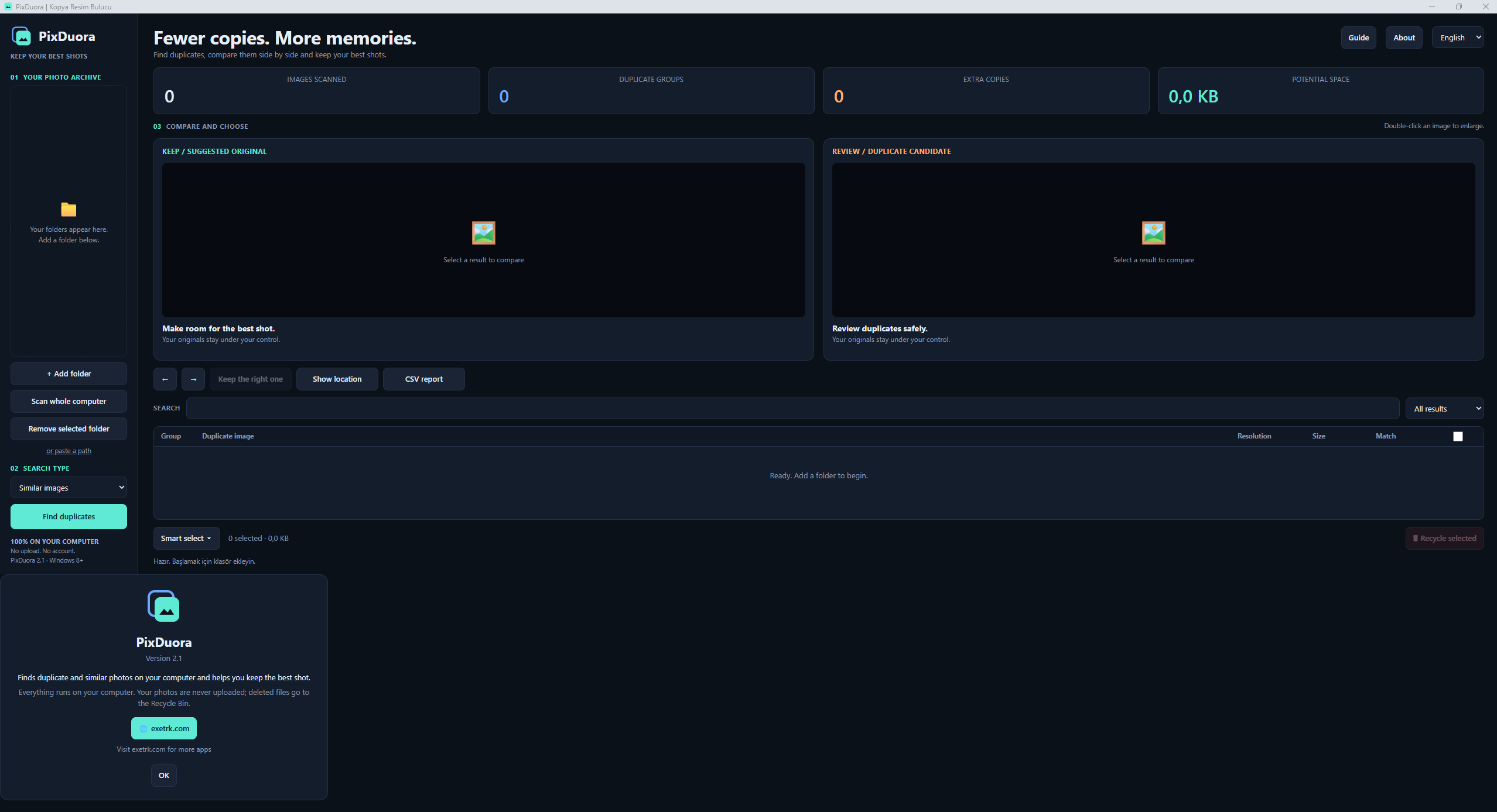
Compare side by side
Review the suggested image and duplicate candidate on the same screen. Check resolution, file size, date and match information, enlarge an image or open its location. You can choose the image on the right to keep instead.
Make selection easier
Use smart selection to mark exact duplicates, lower-resolution images or smaller files, or select items individually. Suggestions use criteria such as resolution and file size; they are not an assessment of aesthetic quality.
You make the decision
Scanning does not automatically delete photos. Files are submitted to the Windows Recycle Bin only after you select and confirm them. At least one file must remain in each group; the app prevents removing every file in a group together.
Export a report
Search and filter results, see groups, extra copies and potential storage space. Export comparisons as a CSV report. Potential space is an estimate, not storage already freed.
Your photos stay on your computer
Scanning and comparison take place locally. Photos are not uploaded to a server and no account is required. The interface supports English, German, Turkish and Spanish. It runs in a local browser window; the browser may store the language preference. The exetrk.com button opens the website.
Good to know
Similarity search can help find different sizes of the same image. Review results before taking action. Similarity groups can contain false matches, and the match percentage does not guarantee quality or accuracy.
Visual similarity is calculated for JPG/JPEG, PNG and GIF. BMP, WebP, HEIC/HEIF and TIFF can be checked for identical file contents; visual matching and previews for these formats are limited. Files smaller than 20 KB or larger than 300 MB are skipped; images above 150 megapixels are not visually compared.
Keep backups of important photos. Recycle Bin availability depends on the storage device and Windows; undo within the app is not guaranteed.
The installers and portable EXE are not digitally signed. Windows may show an unknown publisher warning. The interface’s “Windows 8+” label is not presented as verified compatibility for these files; this release requires Windows 10/11 x64.
The source download contains the supplied application and installer source files. A separate license text and ready-to-use build script are not included.
Screenshots
English
Türkçe
Deutsch
Español
Scan results · Turkish
Download for free
Installer
2.1 · 11.0 MB
Choose language, installation folder and shortcuts in the wizard. Installs for your user account without administrator rights.
After you download and run it, installs to the default location, creates desktop and Start menu shortcuts and opens PixDuora. Use the regular installer to customize options.
PixDuora
Comments and questions
No published comments yet. Be the first to write one.